How to share website mockups with clients
By the ViewMock project · Updated October 21, 2026
A website mockup review works best when the client knows which version to open and what decision you need. Send one finished image, a clear review question and a deadline in the same message. ViewMock provides the image preview; your usual email or project thread holds the discussion.
Choose the review format before you export
Use a static image when you want feedback on visual hierarchy, page order, spacing or the overall direction of a design. A tall image can show the sequence from a page header to its final call to action in one scroll.
Use an interactive prototype or a staging website when the question involves menus, hover states, forms, responsive breakpoints or navigation. A screenshot cannot demonstrate those behaviors. A desktop screenshot scaled down on a phone still shows a desktop design; it does not become a mobile layout.
Prepare one version the client can identify
- Export the exact frame or page you want reviewed as JPG, PNG or static WebP. Open the export locally and check the beginning and end, small text, images and any transparent areas.
- Remove internal notes, real customer information and anything you do not have permission to share before exporting. Check embedded metadata too: ViewMock keeps accepted original bytes.
- Keep your editable design and exported original in your own project folder. Record the version and date in your review message. ViewMock does not add a title or version label to the preview.
- For separate desktop and mobile designs, export and share each image separately. Each ViewMock link contains one image.
Create and check the preview link
Open the upload tool, choose the export and check its displayed format and file-size requirements. If the design needs a password, enable password protection before creating the link. Wait for the actual upload and processing to finish, then copy the link from the success screen.
Open that link in a fresh private browser window before sending it. Check that the correct image appears from top to bottom. A protected preview should ask for its password in that fresh session. The successful preview fits the browser width and contains only the image, so write your review instructions in the accompanying message.
Worked example: review the Harbor Studio homepage
We made this fictional design for the guide. It contains only placeholder projects and geometric artwork. Download the sample PNG to try the same review without using client material.
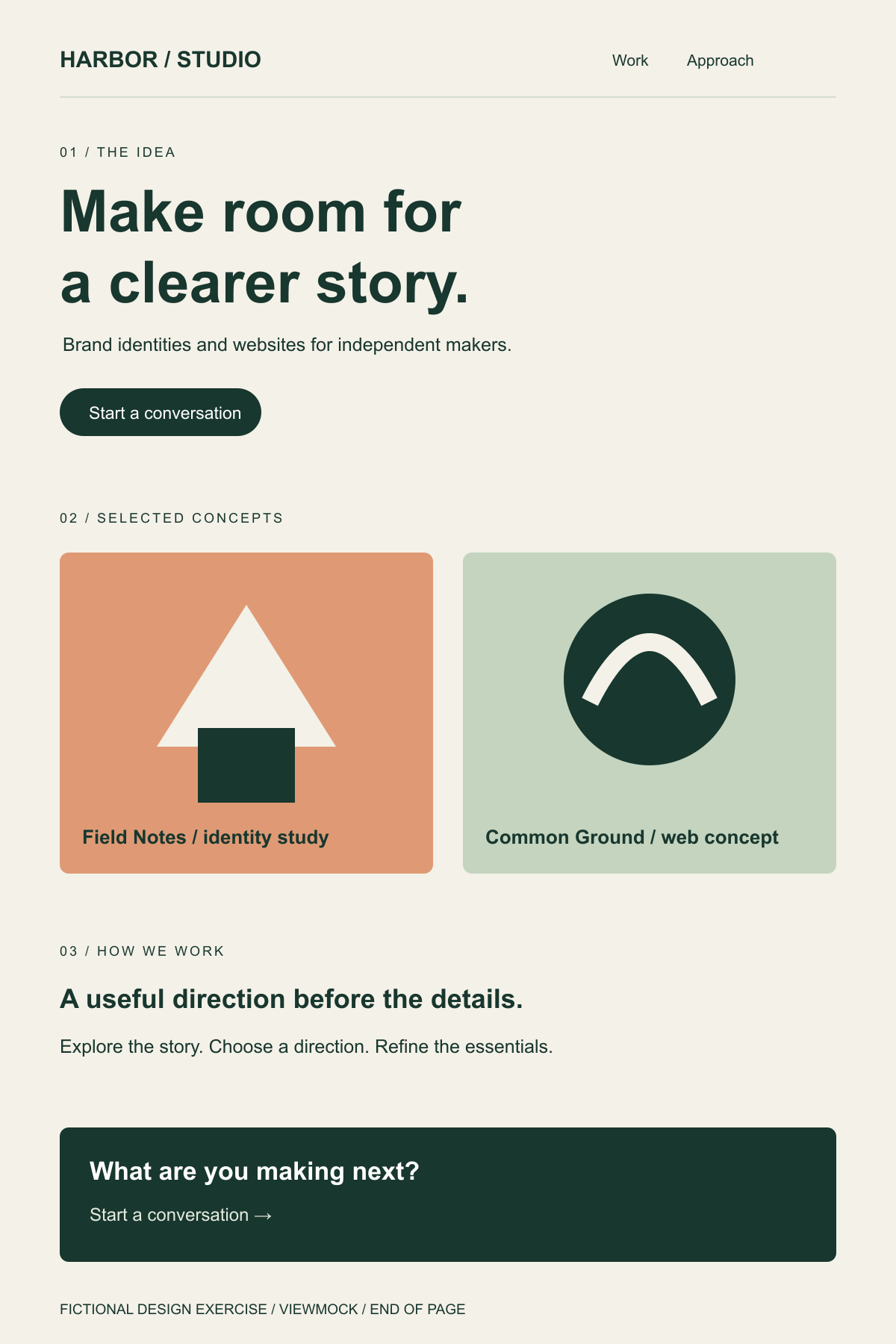
Start with two decisions: does “Brand identities and websites” explain the offer in section 01, and should Field Notes or Common Ground appear first in section 02? Ask the reviewer to point to one section and explain the reason for a change. Do not ask them to test the Work link or conversation button: they are pixels in this export.
This is an invented review brief for a fictional studio, not a customer testimonial. Replace the bracketed fields in your own message; they are not ViewMock form fields.
Here is the Harbor Studio desktop exercise, version 1: [paste the new preview link]. Please review the order of Field Notes and Common Ground in section 02, and the conversation prompt in section 03, by Thursday afternoon.
The copy is still a draft. For this round, please tell me whether the first two sections explain our work clearly and whether the enquiry button is easy to find. Reply in this thread with the section heading and the change you suggest. I will send a separate mobile layout after we agree on the page order.
A question such as “Does the services section explain what a first-time visitor can hire us for?” gives the client a decision to make. If a client reports that something “looks wrong,” ask for their browser and window size and the section they mean. Keep feedback in one thread so different reviewers can see decisions already made.
Share a revision as a new link
An activated image and its password are fixed. Upload a new export to share a revision, and label the new link in your message. Say which earlier version it replaces. The earlier link is not edited or revoked by creating another one, so avoid describing a new upload as a replacement feature.
Preview links expire. Keep the original and the final review decision in your own records rather than treating ViewMock as an archive. If you need ongoing comments pinned to a design or an approval audit trail, use a tool built for that workflow.